Why a mosh server of our own
Mosh is the best way to keep a terminal session on a phone. Walk out of Wi-Fi, lock the screen, ride the subway, and the session is still there when you look again. But the server half of mosh was written long before coding agents. Run Claude Code or Codex through it and things go subtly wrong: colours that do not match your screen, an agent that hesitates before it starts, a reply that flickers in half-drawn, a Shift+Enter that sends instead of starting a new line.
termosh is MyTerm's own mosh server, and a drop-in replacement for mosh-server 1.4.0. It speaks the same language as mosh, so the session keeps everything mosh is good at, and it was built from the start to keep coding agents right.
It is also our own code, top to bottom. Mosh is licensed under the GPL v3, which requires any app built on its code to publish its own source too, and MyTerm is not open source. So MyTerm's mosh client and termosh are written from scratch in Rust, without any of mosh's code, and with none of its code inside, mosh's license places no conditions on MyTerm. They follow the same protocol, which is why any mosh client still works with termosh, and owning the code is what makes the agent improvements below possible at all.
Your theme, even when you change it
Coding agents pick their colours to suit your screen: dark text on a light background, light text on a dark one. They ask the terminal which one you are using. With ordinary mosh the answer is decided when you connect and never changes, so if you switch MyTerm between light and dark mid-session, the agent keeps painting for the screen you had before.
With termosh, MyTerm tells the server every time you switch, and the agent repaints in the new scheme straight away.
Agents start straight away
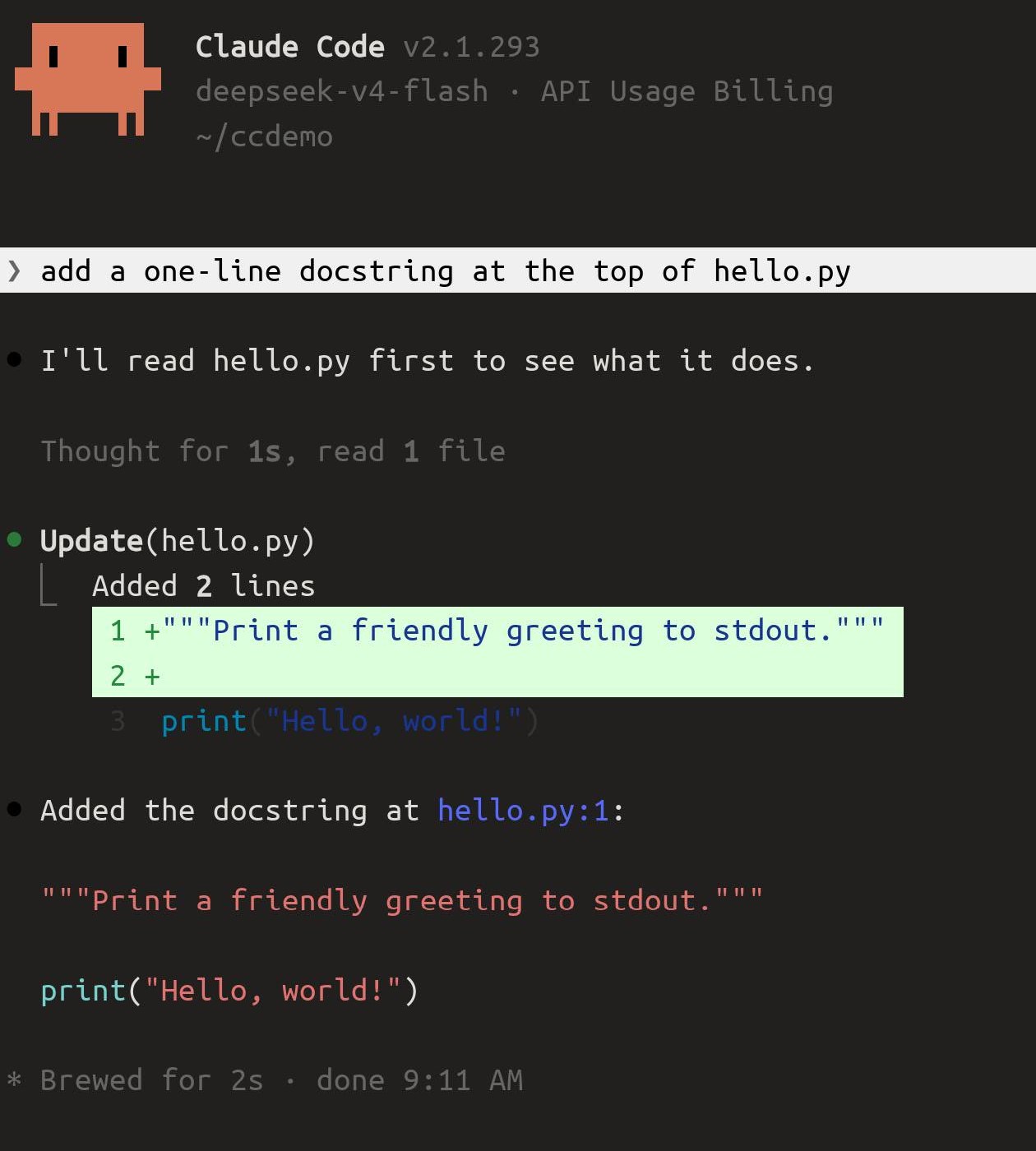
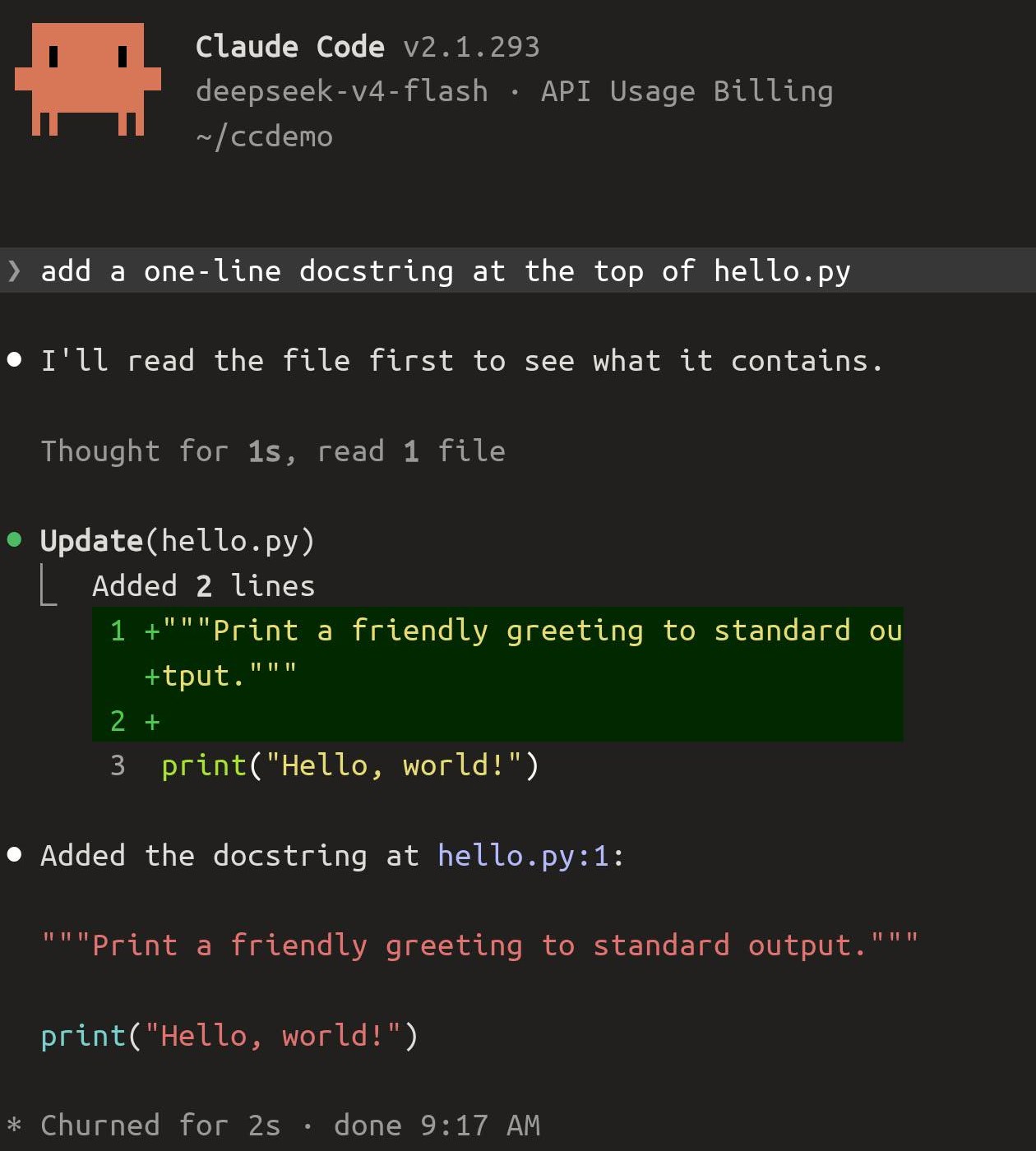
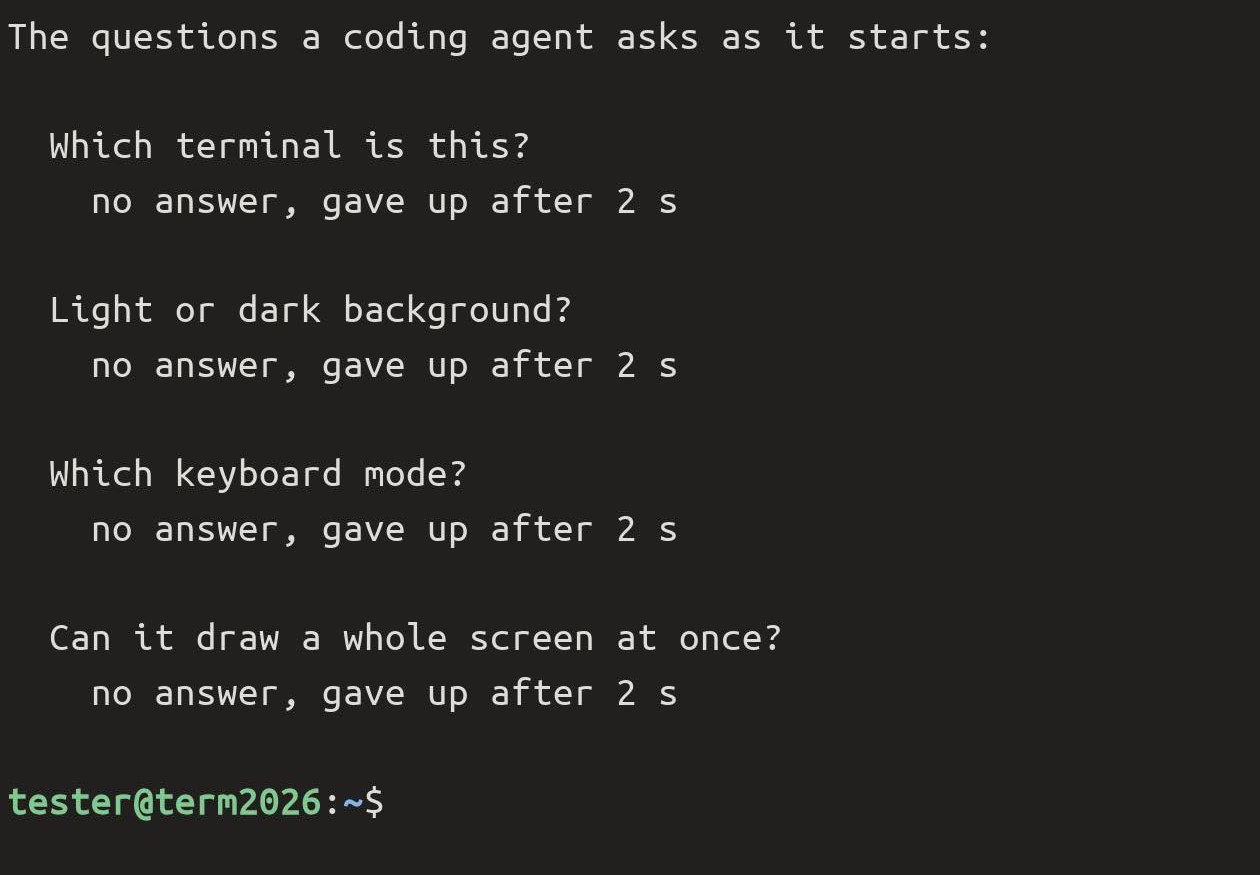
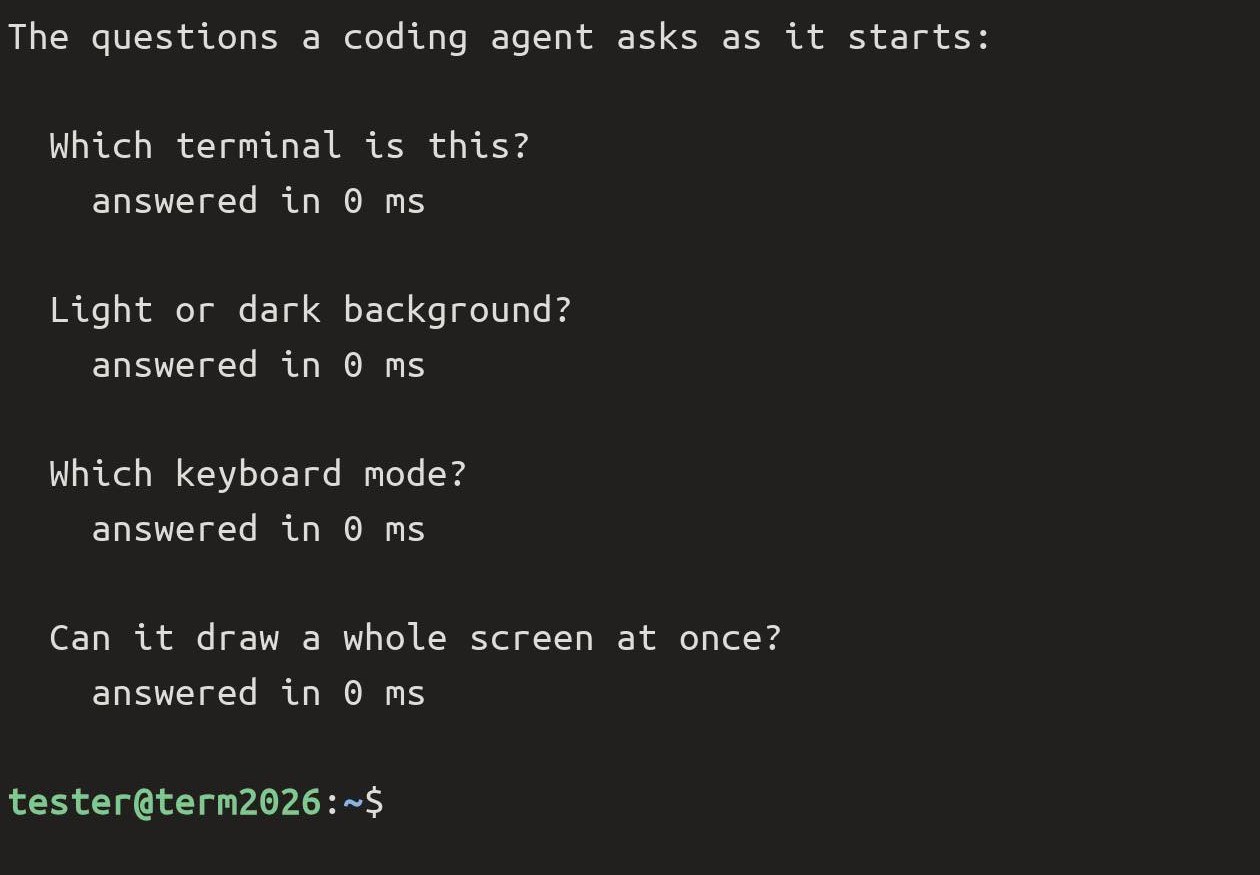
A coding agent asks the terminal a handful of questions as it starts: which terminal is this, is the background light or dark, which keyboard mode, can it draw a whole screen at once. Some give up after a fraction of a second. Ordinary mosh leaves them unanswered, so the agent waits, then starts with features switched off. termosh answers every one on the spot.
Replies redraw cleanly
That last question matters most while an agent is answering: it redraws the screen many times a second. termosh says yes, holds each picture until it is complete, and sends it whole, so you never see a half-drawn frame.
Shift+Enter starts a new line
In Claude Code's prompt, Shift+Enter adds a line instead of sending the message, the same as on a desktop.
Links you can tap
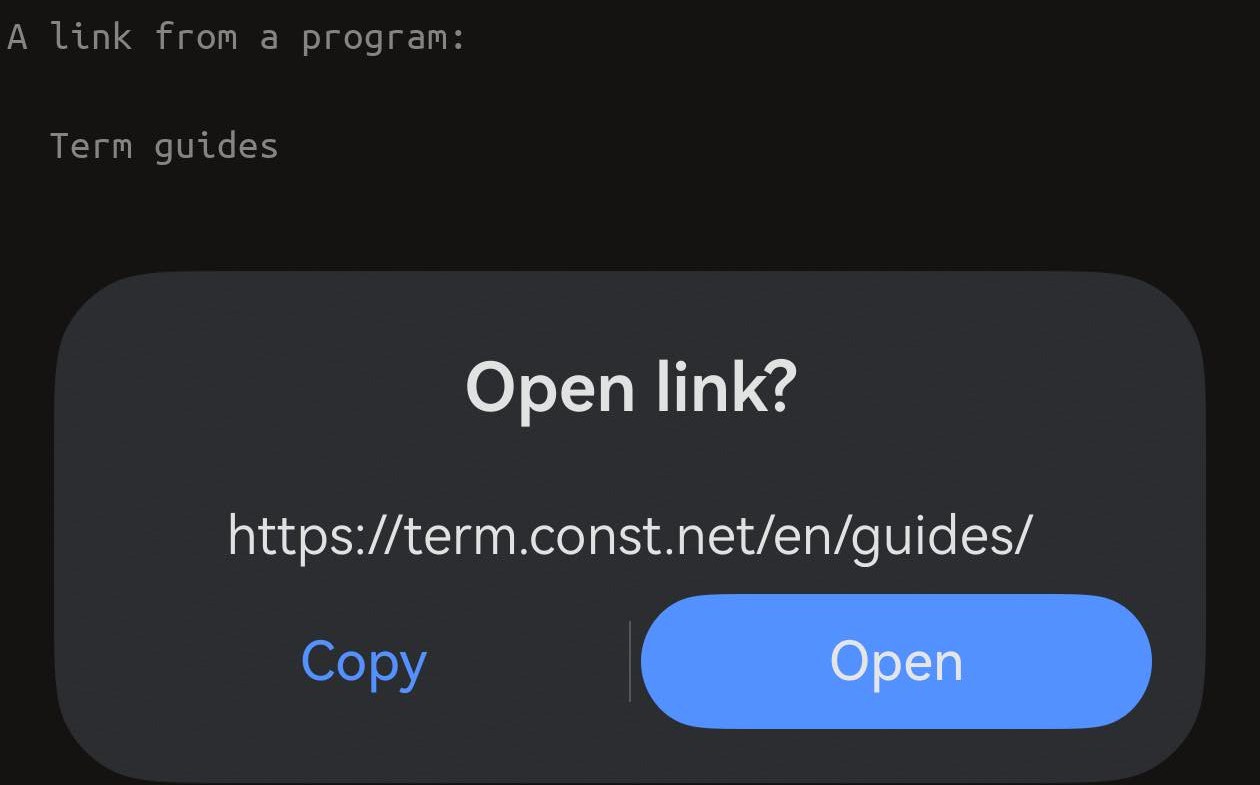
When a program prints a link, termosh passes it on, and a tap offers to open it. Over ordinary mosh the same words arrive as plain text.
Every underline style
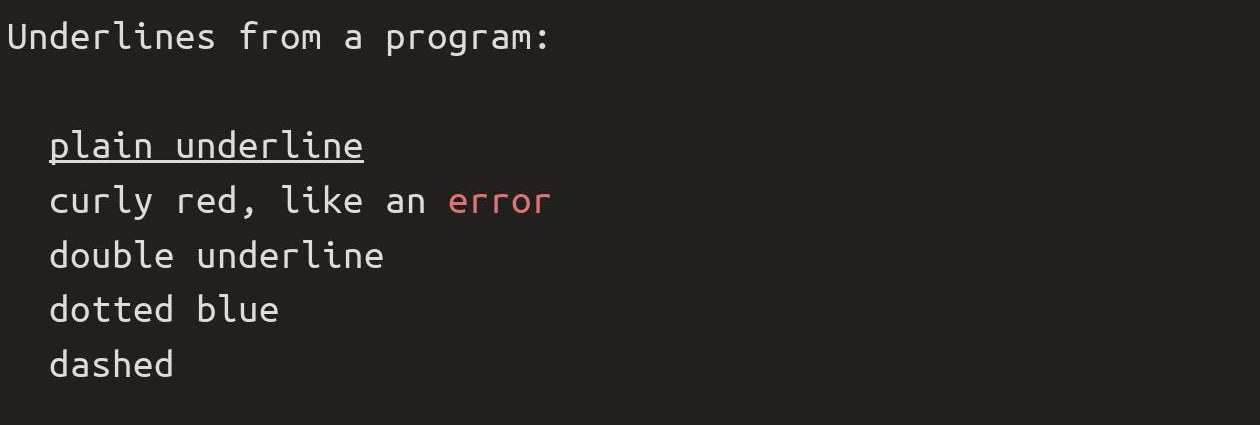
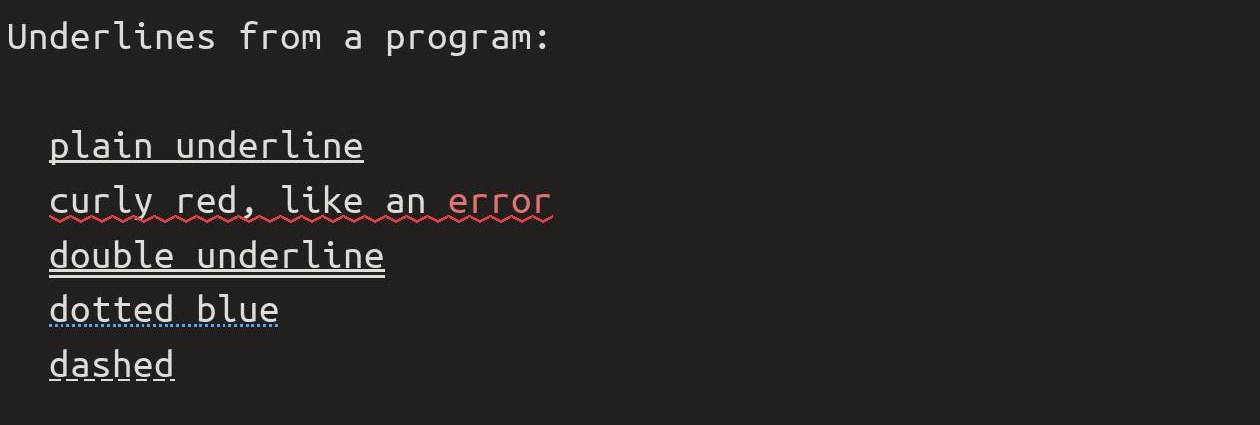
Agents and editors underline with meaning: a curly red line under an error, a dotted one under a hint. Ordinary mosh only knows the plain underline and drops the rest.
The cursor shape the program asks for
Editors and agents change the cursor to tell you what mode you are in: a thin bar while you type in vim, a block when you move around. Ordinary mosh ignores the request and keeps the block. termosh passes it on, and MyTerm keeps it when you switch tabs and come back.


Scroll back, no tmux needed
Ordinary mosh keeps no scrollback: it sends you the screen as it is now, and whatever scrolled off the top is gone. Many people run tmux inside mosh just to get it back. With termosh, every line that scrolls past lands in MyTerm's history: a long build log, a test run, an agent's reply that ran off the screen. Scroll up the way you would on any terminal. Since termosh 0.6.0 that includes output that scrolls under a line pinned to the bottom of the screen, such as apt's progress bar; earlier versions dropped those lines.
The history survives a resume too. Force-quit MyTerm, or put the phone down long enough for the app to be closed, and when the session comes back the recent output is in the scrollback again, including whatever the agent printed while you were away.
To do that, termosh keeps the newest ~1,000 lines of output in memory on the server, never on disk, and a program that clears the scrollback clears it there too. That costs about 3 MB per session at 80 columns, and the first screen after you attach is a larger update than usual. Start it as TERMOSH_SCROLLBACK=0 termosh to turn all of it off; the bytes on the wire are then exactly ordinary mosh's.
Long lines rewrap when you resize
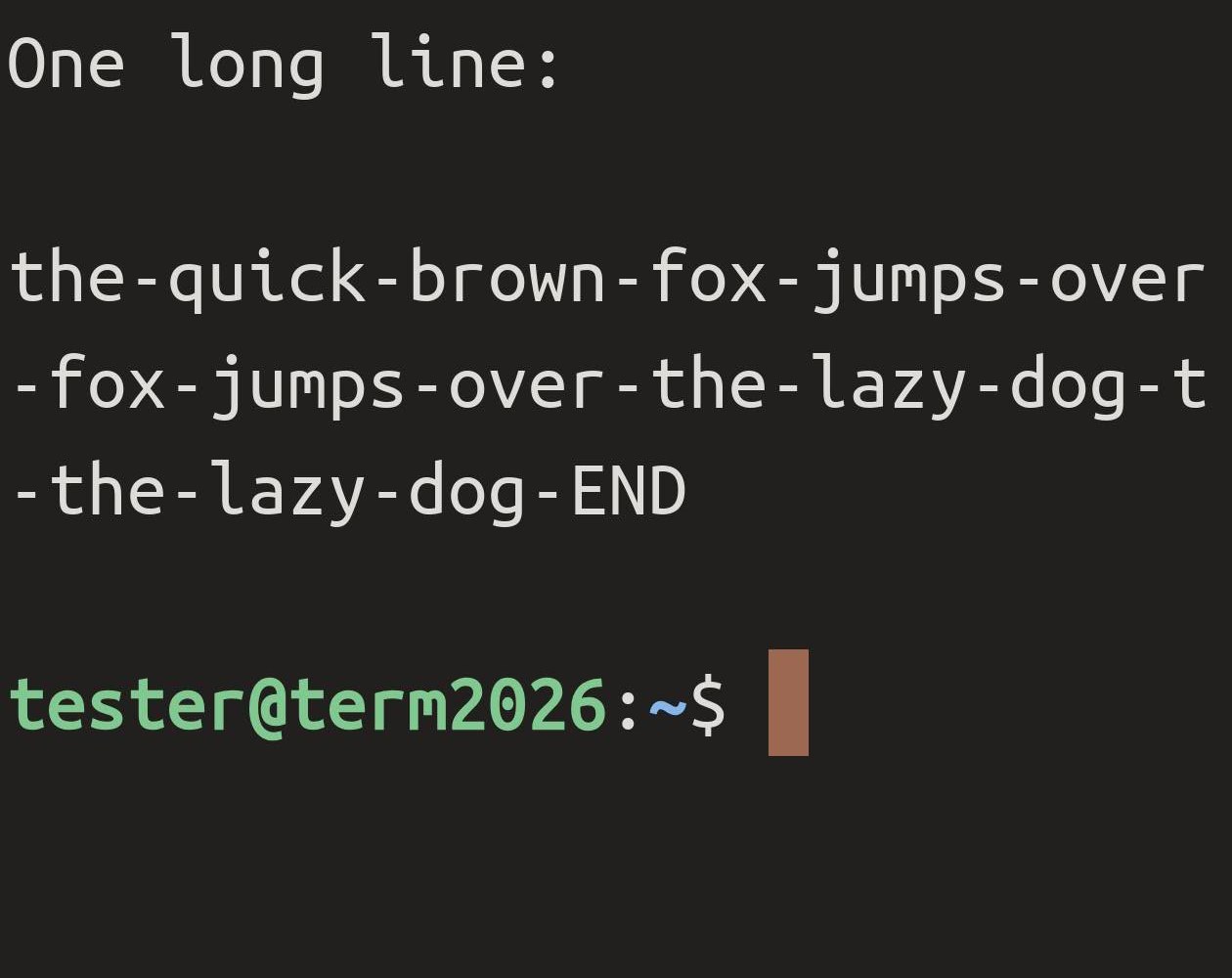
Rotate the phone or pinch to change the text size, and the screen gets narrower or wider. termosh rewraps long lines to fit. Ordinary mosh cuts them at the old edge, and the cut-off part is gone.
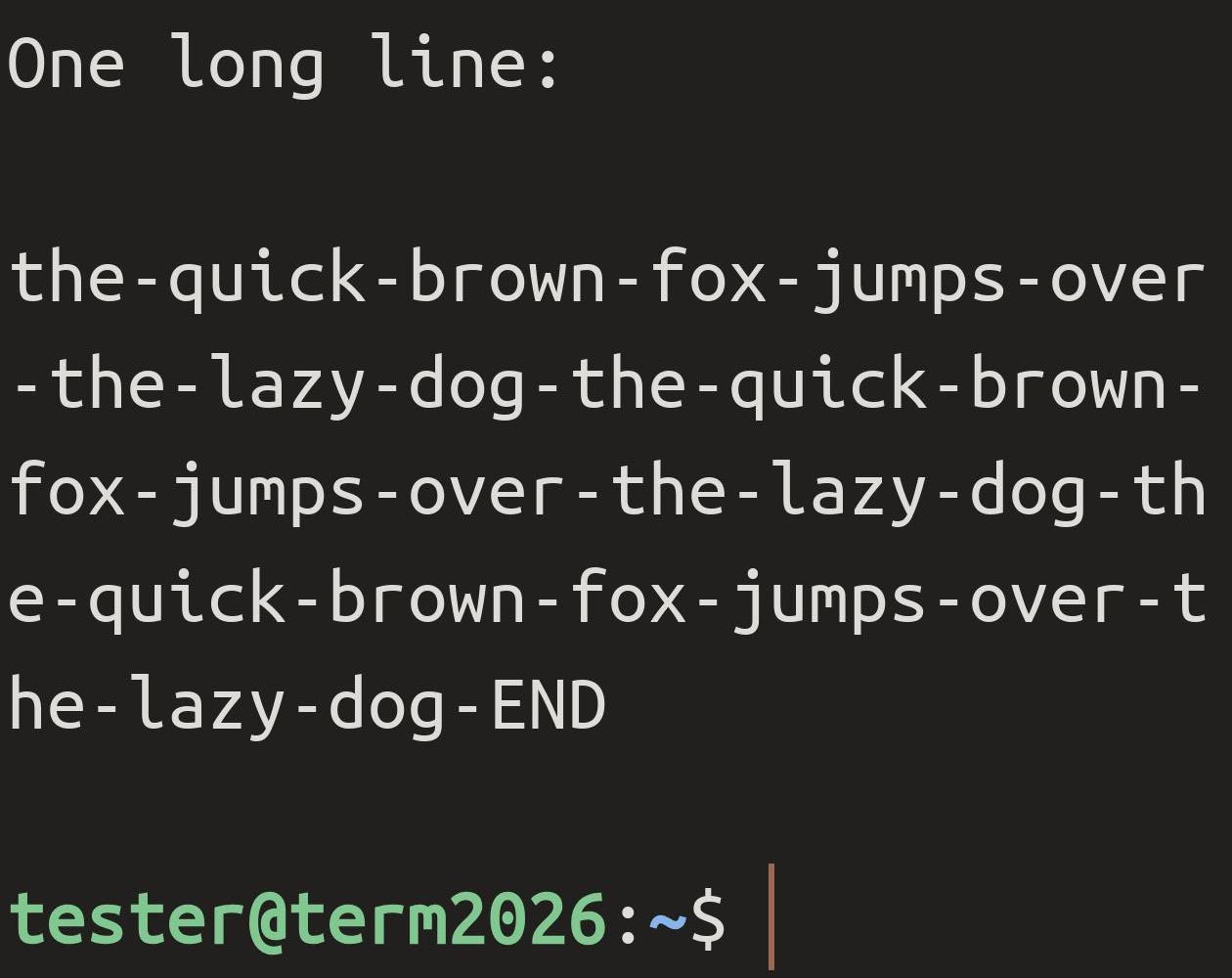
Copy from tmux reaches your phone
Text you copy inside tmux on the server lands on your phone's clipboard, ready to paste anywhere. Ordinary mosh drops tmux's copies on the way, unless you add a workaround to your tmux settings. Copying the same text twice works too.
Using tmux? By default tmux keeps links and the fancier underlines to itself, and ignores a copy made by a program running inside it. Two lines in ~/.tmux.conf let them through, then detach and attach again:
set -as terminal-features ',xterm*:hyperlinks:usstyle'
set -g set-clipboard on
Still mosh
Everything mosh does, termosh does: the session survives a network change, a locked screen and a weak signal, and typing still feels instant on a slow link. A host you leave on ordinary mosh-server works exactly as before.
It is a drop-in replacement for mosh-server 1.4.0: the same launch command, options and protocol, so any mosh client can use it, not only MyTerm. mosh 1.4.0 ships its own end-to-end test suite, and termosh passes it with exactly the results of mosh-server itself (24 pass, plus the 2 tests upstream marks as expected failures). Three things are left out on purpose: no utmp/wtmp entry, so who and last do not list termosh sessions, no colour-count emulation behind -c (it still sets TERM, as stock does), and no verbose logging behind -v.
Quicker on every network
New in termosh 0.5.6, October 2026. Needs MyTerm 26.7.2 or later: part of the gain is in MyTerm's own mosh client.
We measured termosh against ordinary mosh-server on seven simulated networks, from a server in the same room to one across the world, with MyTerm on the other end of both. Lower is better in every table.
Typing
How long a keystroke takes to appear, in milliseconds. On a fast network your letters now show up almost as soon as you press the key; on a slow one, termosh takes away mosh's own waiting on top of the distance.
| Network | mosh-server | termosh |
|---|---|---|
| Same machine room · ≈0 ms | 10.5 | 1.0 |
| Home or office network · 10 ms | 23.2 | 13.2 |
| Fast broadband · 30 ms | 44.9 | 35.0 |
| Mobile data · 100 ms | 115 | 107 |
| Weak signal · 100 ms, 5% loss | 114 | 104 |
| Slow link · 150 ms, 1 Mbit/s | 241 | 156 |
| Across the world · 300 ms | 317 | 305 |
Big output
How long 5,000 lines of output take to finish on screen, in milliseconds — a build log, a test run, an agent printing a long reply.
| Network | mosh-server | termosh |
|---|---|---|
| Same machine room · ≈0 ms | 31 | 26 |
| Home or office network · 10 ms | 43 | 36 |
| Fast broadband · 30 ms | 251 | 81 |
| Mobile data · 100 ms | 383 | 224 |
| Weak signal · 100 ms, 5% loss | 136 | 213 |
| Slow link · 150 ms, 1 Mbit/s | 518 | 324 |
| Across the world · 300 ms | 889 | 462 |
While your phone is asleep
Packets sent to a phone that has gone quiet, over 20 seconds while the server keeps printing. Ordinary mosh keeps sending hundreds; termosh waits until the phone is back. That is less mobile data and less battery spent on a screen nobody is looking at.
| Network | mosh-server | termosh |
|---|---|---|
| Same machine room · ≈0 ms | 925 | 6 |
| Home or office network · 10 ms | 893 | 6 |
| Fast broadband · 30 ms | 908 | 6 |
| Mobile data · 100 ms | 376 | 6 |
| Weak signal · 100 ms, 5% loss | 376 | 7 |
| Slow link · 150 ms, 1 Mbit/s | 248 | 6 |
| Across the world · 300 ms | 131 | 6 |
Waking up
How long the screen takes to catch up when the phone comes back, in milliseconds.
| Network | mosh-server | termosh |
|---|---|---|
| Same machine room · ≈0 ms | 946 | 22 |
| Home or office network · 10 ms | 951 | 33 |
| Fast broadband · 30 ms | 984 | 58 |
| Mobile data · 100 ms | 1,031 | 126 |
| Weak signal · 100 ms, 5% loss | 1,031 | 126 |
| Slow link · 150 ms, 1 Mbit/s | 1,063 | 182 |
| Across the world · 300 ms | 1,232 | 327 |
Three runs per number, medians; termosh 0.5.6 against mosh-server 1.4.0. The networks are simulated on one machine, so a real link adds its own ups and downs. One case goes the other way: a burst of output on a weak signal with packet loss finishes sooner on ordinary mosh.
Memory
Measured side by side on the same Linux server (Ubuntu 24.04 with its own mosh 1.4.0), one session each at 80×24:
| ordinary mosh-server | termosh | termosh, scrollback off | |
|---|---|---|---|
| Just connected | 3.8 MB | 2.2 MB | 2.2 MB |
| After 200,000 lines of output | 3.9 MB | 5.3 MB | 2.3 MB |
| After 30 full-screen redraws | 3.9 MB | 3.0 MB | 2.3 MB |
Idle, termosh needs a little over half of what mosh-server does: it is one self-contained program, so it does not load the shared libraries mosh-server depends on. Scrollback is what costs. termosh keeps the newest ~1,000 lines so you can scroll back and get them again after a resume, and it stores each one at the full width of the screen, so after heavy output a session uses more than ordinary mosh-server: about 5 MB at 80 columns, around 9 MB in a 160-column window, and no more however long it runs. clear empties it (that is why the redraw row drops again). Start termosh as TERMOSH_SCROLLBACK=0 termosh and it stays near 2 MB whatever the session prints.
On macOS, a termosh session uses about 3 MB when idle and around 8–9 MB after very heavy output, comparable to stock mosh-server's 8–10 MB on the same workload, and under 5 MB with TERMOSH_SCROLLBACK=0. Read Activity Monitor's Memory column (the process footprint), not ps RSS: macOS keeps some freed memory resident until it needs it.
Set it up
termosh runs on the server, in place of mosh-server. Install it once on each host, then tell MyTerm to use it in that host's settings. The extras on this page need MyTerm 26.7.0 or later. Downloads, checksums and every release are on the termosh page.
Linux
On the server, run the installer. It picks the right build (x86_64 or ARM64; fully static, so Alpine and older distributions work too), checks it against the release checksums and puts it in ~/.local/bin. No root needed.
curl -fsSL https://term.const.net/termosh/install.sh | shIn MyTerm, edit the host: under Connection choose Mosh, open Mosh options and put ~/.local/bin/termosh in mosh-server command (optional). Then connect.
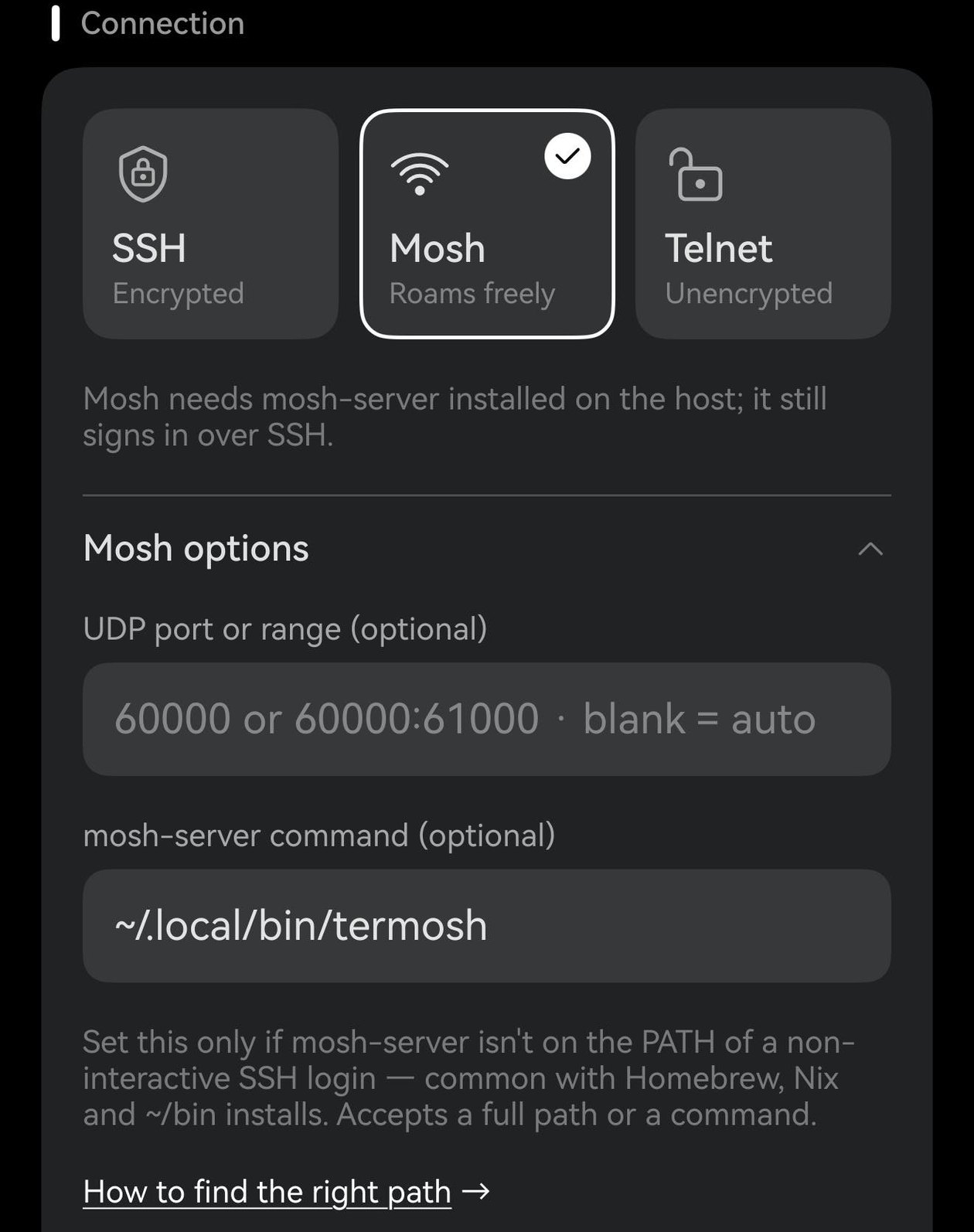
To check, long-press the host and open System info: the Mosh server row names termosh and its version.
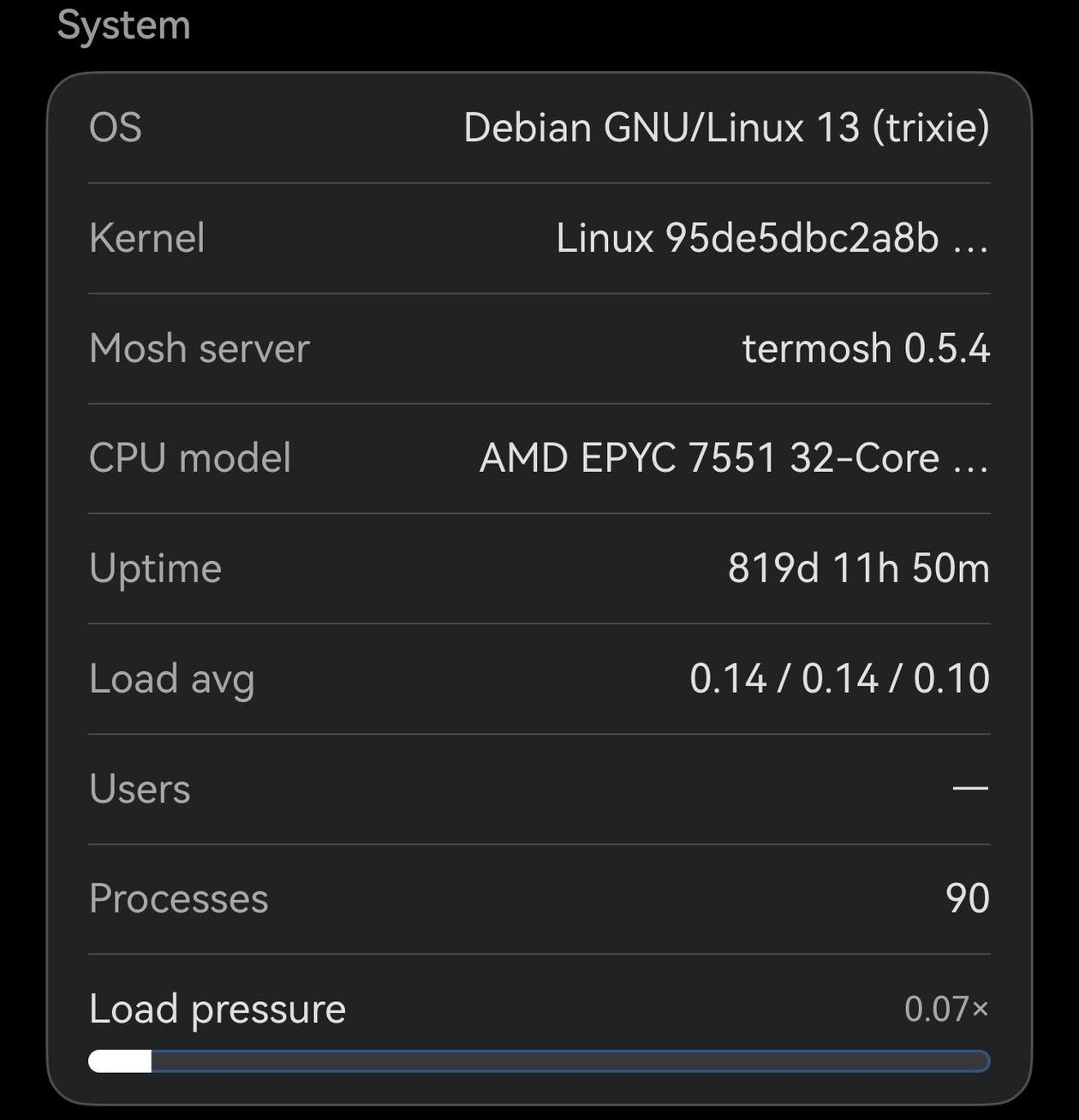
macOS
The same installer and the same setting as Linux (Apple silicon or Intel). The Mac also needs Remote Login turned on (System Settings › General › Sharing), since MyTerm starts the server over SSH.
Windows (beta)
Windows 10 1809 or later, x64, with OpenSSH Server running and cmd.exe as its default shell (the default). There is no installer script on Windows: in PowerShell, download the zip, check its hash, unzip it into your profile, and let mosh's UDP ports through Windows Firewall (the last line needs an elevated PowerShell; a cloud firewall in front of the server needs the same ports).
iwr https://term.const.net/termosh/LATEST -OutFile LATEST; $v = (Get-Content LATEST -Raw).Trim()
iwr "https://term.const.net/termosh/${v}/termosh-${v}-windows-x86_64.zip" -OutFile termosh.zip
(Get-FileHash termosh.zip).Hash      # compare with its line in /termosh/${v}/SHA256SUMS
Expand-Archive termosh.zip $env:USERPROFILE\termosh -Force
New-NetFirewallRule -DisplayName termosh -Direction Inbound -Protocol UDP -LocalPort 60000-61000 -Action Allow
In MyTerm, put %USERPROFILE%\termosh\termosh.exe in the host's mosh-server command (optional); MyTerm recognises a Windows server and starts termosh the way cmd.exe expects.
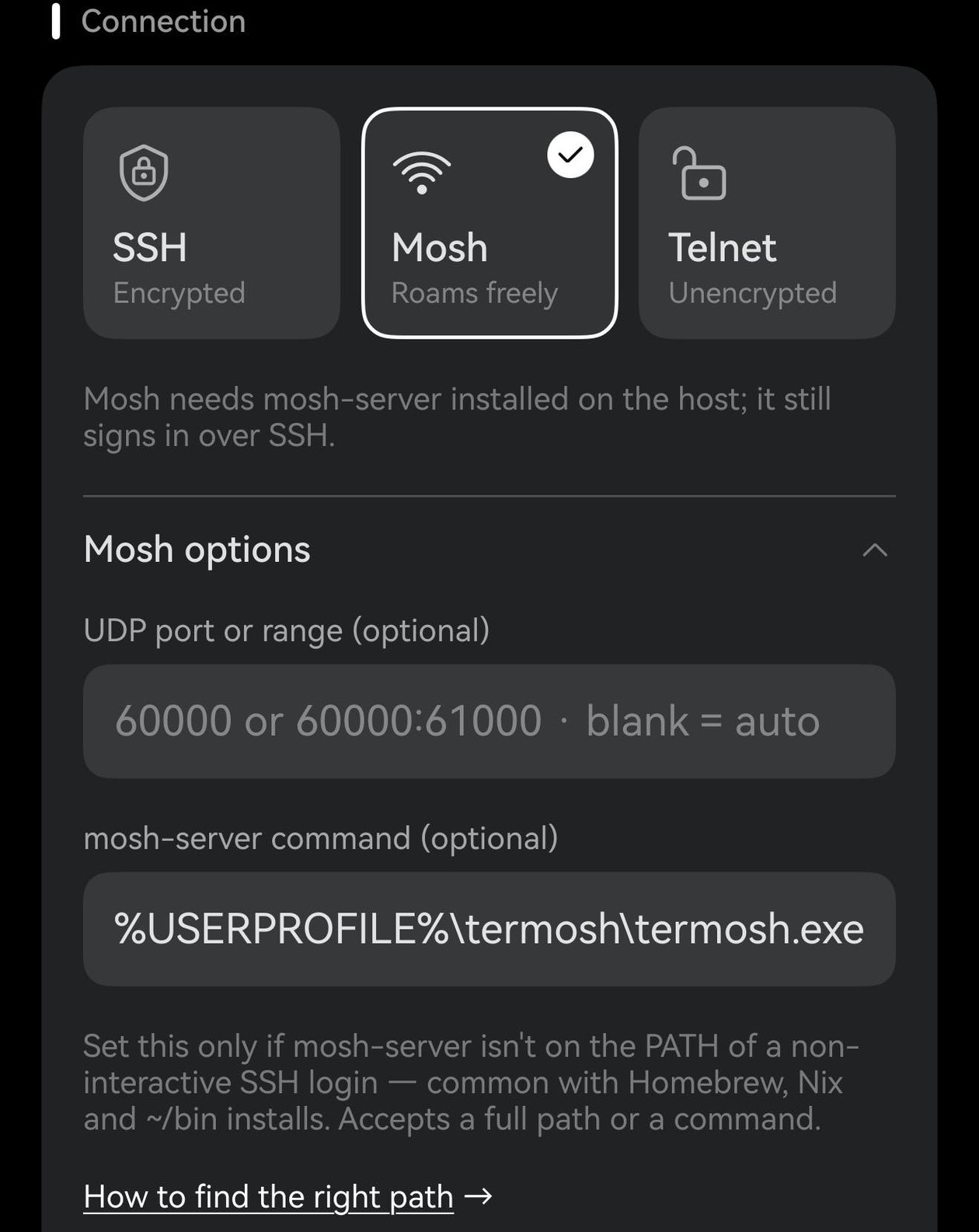
termosh.exe.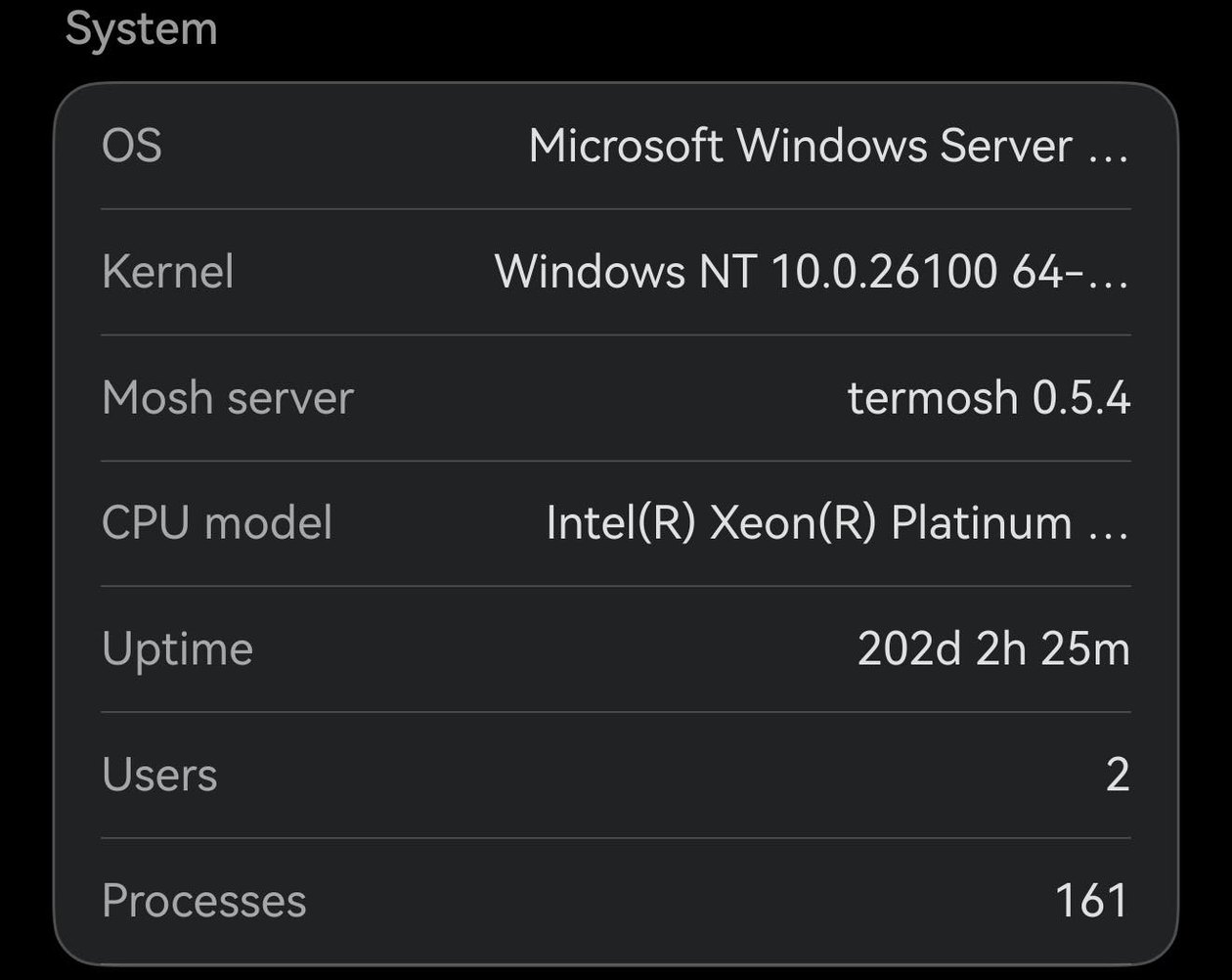
Windows is in beta: tested on Windows Server 2025 x64 (attach, typing, resize, scrollback, UTF-8 and CJK, a clean exit), not yet on Windows 10 or 11 desktops or on ARM64. The shell is cmd.exe. Other mosh clients may wait for the whole session on a Windows host before their SSH command returns, until a fix in termosh lands; MyTerm does not wait.
A MyTerm Pro feature
Mosh was open to every user in earlier versions; from 26.6.3 it is part of MyTerm Pro, and termosh comes with it. With Pro, every mosh host works: ones still on ordinary mosh-server just as before, and the ones you switch to termosh with everything on this page.
It cannot shorten the distance
On a link with 300 ms to the server, a keystroke still takes about 300 ms to come back; no server can change that. What termosh removes is the waiting mosh adds on top, the data it sends to a phone that is asleep, and everything on this page that makes an agent look wrong.
References: Customizing mosh · mosh.org